macOS
macOS 12 Monterey or laterSeparate builds for Apple Silicon (M1 and later) and Intel Macs.
Disk image
The TestMQTT client as a desktop app for macOS, Windows and Linux. Free, no account needed.
Version 1.0.0 ·
Separate builds for Apple Silicon (M1 and later) and Intel Macs.
Standard installer with Start menu and desktop shortcuts.
AppImage runs on any distribution; .deb for Debian and Ubuntu.
Everything you know from the online client, without the limits of a browser.
Connects to mqtt:// and mqtts:// directly from your computer. No relay server, no WebSocket listener needed.
Reach brokers on localhost, in Docker or on your LAN (192.168.x.x) — impossible from a website.
Switch certificate validation off for test brokers with self-signed or internal certificates.
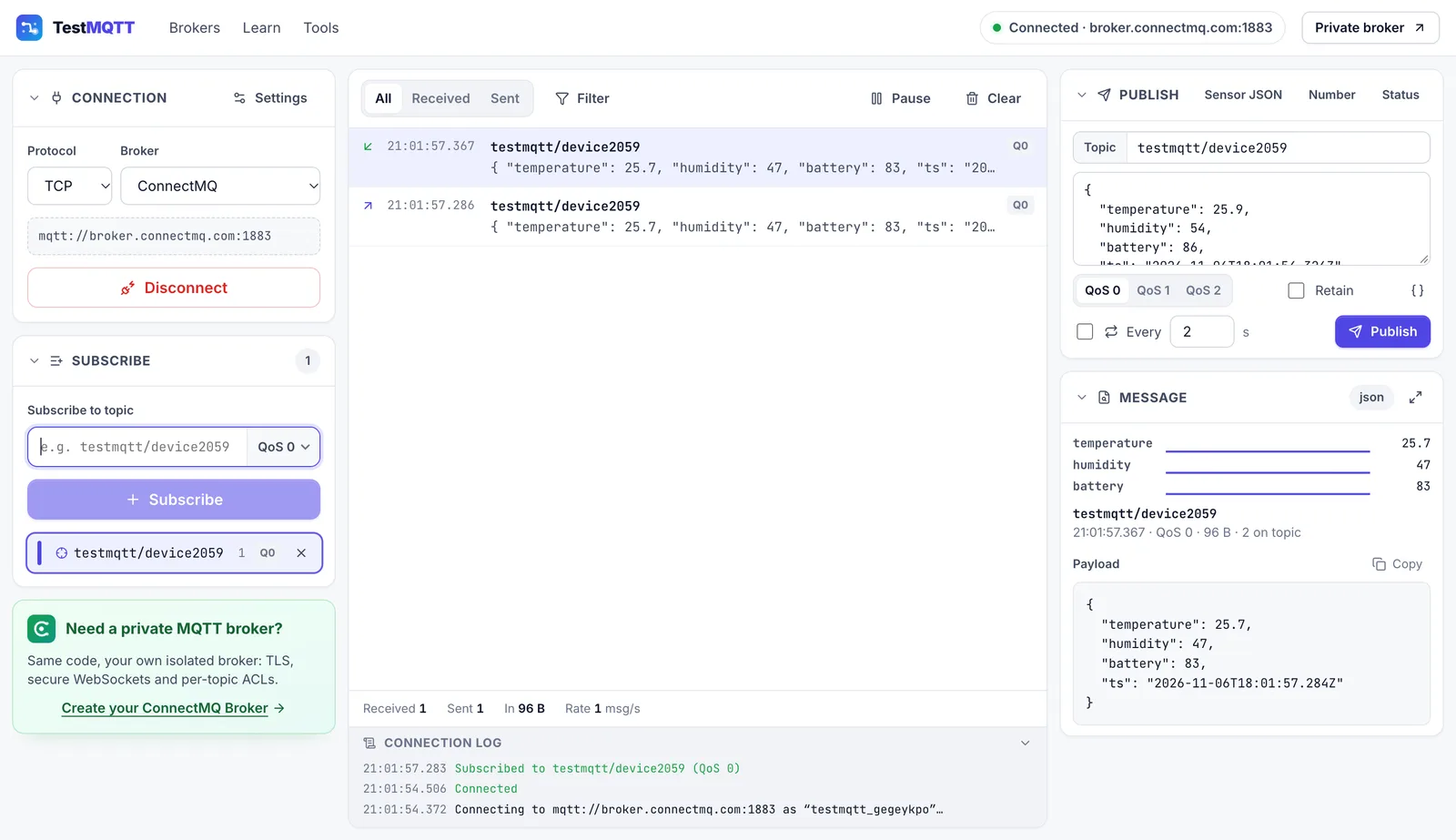
The interface of the online client: subscriptions, live message log, JSON viewer, QoS, retain and Last Will.
Open the .dmg and drag TestMQTT to Applications. On first launch macOS says it cannot verify the app: click Done, open System Settings → Privacy & Security, scroll down and click “Open Anyway”.
Run the installer. If SmartScreen appears, click “More info”, then “Run anyway”.
AppImage: make it executable (chmod +x TestMQTT-*.AppImage) and run it. Debian/Ubuntu: sudo apt install ./TestMQTT-*.deb
The online MQTT client runs in your browser and connects over WebSockets — and over TCP/TLS through our relay.
Yes. The desktop app and the online client are free to use, with no account or sign-up.
MQTT 3.1.1 and MQTT 5 over TCP (mqtt://), TLS (mqtts://), WebSocket (ws://) and secure WebSocket (wss://).
No. Passwords are only used for the current connection and are never saved. The app remembers non-secret settings such as keep-alive and MQTT version.
It sends anonymous usage events (for example “connected to broker X”, never payloads or passwords) when you are online, like the website does. Turn it off in Help → Share Anonymous Usage Data.
Macs from late 2020 onwards (M1, M2, M3, M4…) use Apple Silicon. Check Apple menu → About This Mac: “Chip: Apple M…” means Apple Silicon, “Processor: Intel” means Intel.